Categories
Digital Signages

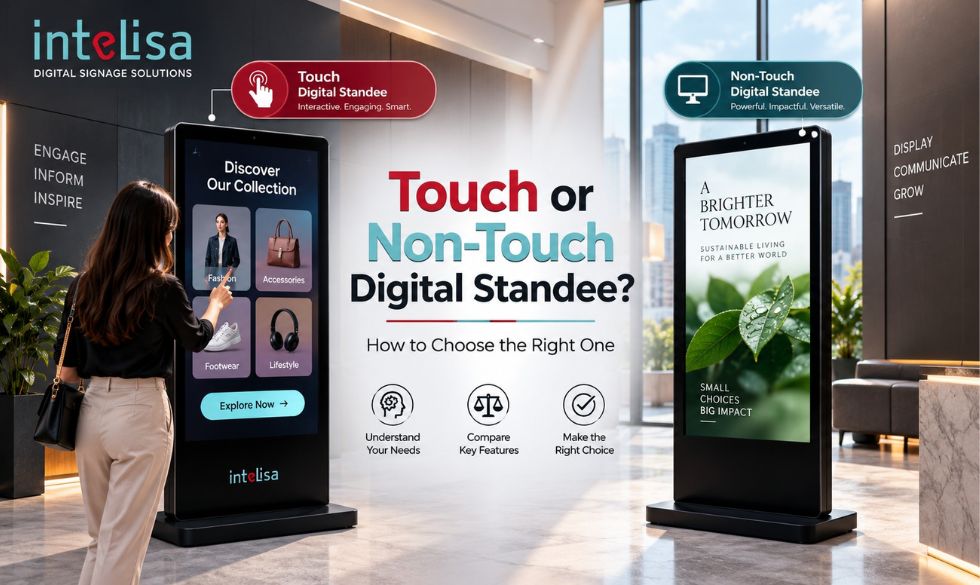
Touch or Non-Touch Digital Standee: How to Choose the Right One

Touch or Non-Touch Digital Standee How to Choose the Right One

You have decided to add a digital standee to your store, showroom, or lobby. Good move. But now you face a choice that trips up almost every first-time buyer: should you get a touch screen standee, or a non-touch one? The two look almost identical from a distance, yet they serve very different purposes and sit at different price points.

Pick the wrong one and you either overpay for touch you never use, or you buy non-touch and later wish customers could interact with it. This guide breaks down the difference clearly, shows where each one shines, and helps you choose the right digital standee for your business in 2026.

What Is a Digital Standee?

A digital standee is a freestanding display screen that shows dynamic content such as ads, offers, menus, and information, updated remotely through digital signage software. Instead of a printed poster on a stand, you get a bright screen you can change in seconds from anywhere. You will see them at store entrances, reception areas, malls, restaurants, and events. Explore the full range on the digital standees page.

The main decision within standees is simple: touch or non-touch. Let us look at each.

What Is a Non-Touch Digital Standee?

A non-touch digital standee is a display that plays content one way, from the screen to the viewer. People look at it, but they do not interact with it. It runs your images, videos, menus, and offers on a loop or a schedule, making it perfect for broadcasting a message to everyone who walks past.

Think of it as a smart, updatable poster. It grabs attention, communicates clearly, and costs less because it has no touch layer or extra processing power. For most advertising and branding use cases, non-touch does the job beautifully.

What Is a Touch Screen Digital Standee?

A touch screen digital standee adds interaction. Viewers can tap the screen to browse a catalogue, place an order, check stock, find their way, or fill in a form. It turns a passive display into a two-way tool, closer to a self-service interactive kiosk.

Touch standees cost more because of the touch panel and stronger hardware, but they unlock experiences non-touch simply cannot: self-ordering, product exploration, wayfinding, and data capture. Where engagement and self-service matter, touch earns its price.

Touch vs Non-Touch Digital Standee: Side by Side

Here is the clearest way to compare the two at a glance.

FactorNon-Touch StandeeTouch Screen Standee
InteractionOne-way, view onlyTwo-way, tap to interact
Best forAds, branding, menus, infoSelf-service, ordering, wayfinding
CostLowerHigher
HardwareSimpler, fewer partsTouch panel, stronger processor
MaintenanceMinimalSlightly more (touch wear)
Customer engagementPassive attentionActive, hands-on
Data captureNoYes, tracks choices
Content updatesRemote, instantRemote, instant

Notice the last row: both are updated remotely through software. The difference is interaction, not control. Whichever you choose, you manage the content the same easy way.

The Digital Standee Opportunity in 2026

Self-service and screen-based communication are growing fast, especially in India, which shapes how businesses choose between touch and non-touch.

$37.7BGlobal interactive kiosk and touch display market in 2026
11.1%India self-service and kiosk market growth rate to 2030
400%Higher view rate for digital signage vs static, per Intel

The takeaway is not that touch is always better. It is that both formats are growing because screens simply outperform print. The right choice depends entirely on what you want the viewer to do.

When to Choose a Non-Touch Digital Standee

Non-Touch

Best Use Cases

  • Store entrances promoting offers and new arrivals
  • Restaurant and cafe digital menu boards
  • Brand and product advertising in malls
  • Reception and lobby welcome screens
  • Event and exhibition branding
  • Any place where you broadcast, not interact
Choose it if

It Fits You When

You want to grab attention and communicate a message to everyone passing by, on a tighter budget, without needing customers to touch anything. For advertising, promotions, and information, non-touch delivers almost all the value at a lower cost.

When to Choose a Touch Screen Digital Standee

Touch

Best Use Cases

  • Self-ordering in QSRs and cafes
  • Product catalogues and stock checks in retail
  • Wayfinding in malls, hospitals, and campuses
  • Self check-in at clinics, gyms, and offices
  • Interactive brand experiences and product demos
  • Feedback, registration, and lead capture
Choose it if

It Fits You When

You want customers to do something, order, browse, navigate, or sign up, rather than just watch. Touch reduces queues, captures useful data, and creates a memorable experience. If interaction drives your goal, the higher cost pays back.

"Do not buy touch because it sounds advanced. Buy it because you have a job for the customer to do on the screen. If there is no task, non-touch gives you the same reach for less." Intelisa Product Team

What About Cost?

Non-touch standees are more affordable because they have fewer components. Touch standees cost more due to the touch panel and stronger internals, but they replace tasks that would otherwise need staff, so they often pay for themselves in busy environments. A smart approach many businesses use: start with non-touch for advertising, and add touch units only where self-service clearly helps.

Tip: You do not have to choose blindly. See both options and get exact pricing on the Intelisa digital standees page, or check plans on the pricing page.

One Platform for Touch and Non-Touch

Whichever standee you choose, Intelisa runs it. Our cloud platform powers both touch and non-touch displays, so you can manage all your content and screens from one dashboard.

  • Runs touch and non-touch standees alike
  • Update content in seconds from anywhere
  • Schedule by time, day, location or campaign
  • Works offline if the internet drops
  • Scales from one screen to a nationwide network
Explore the Platform
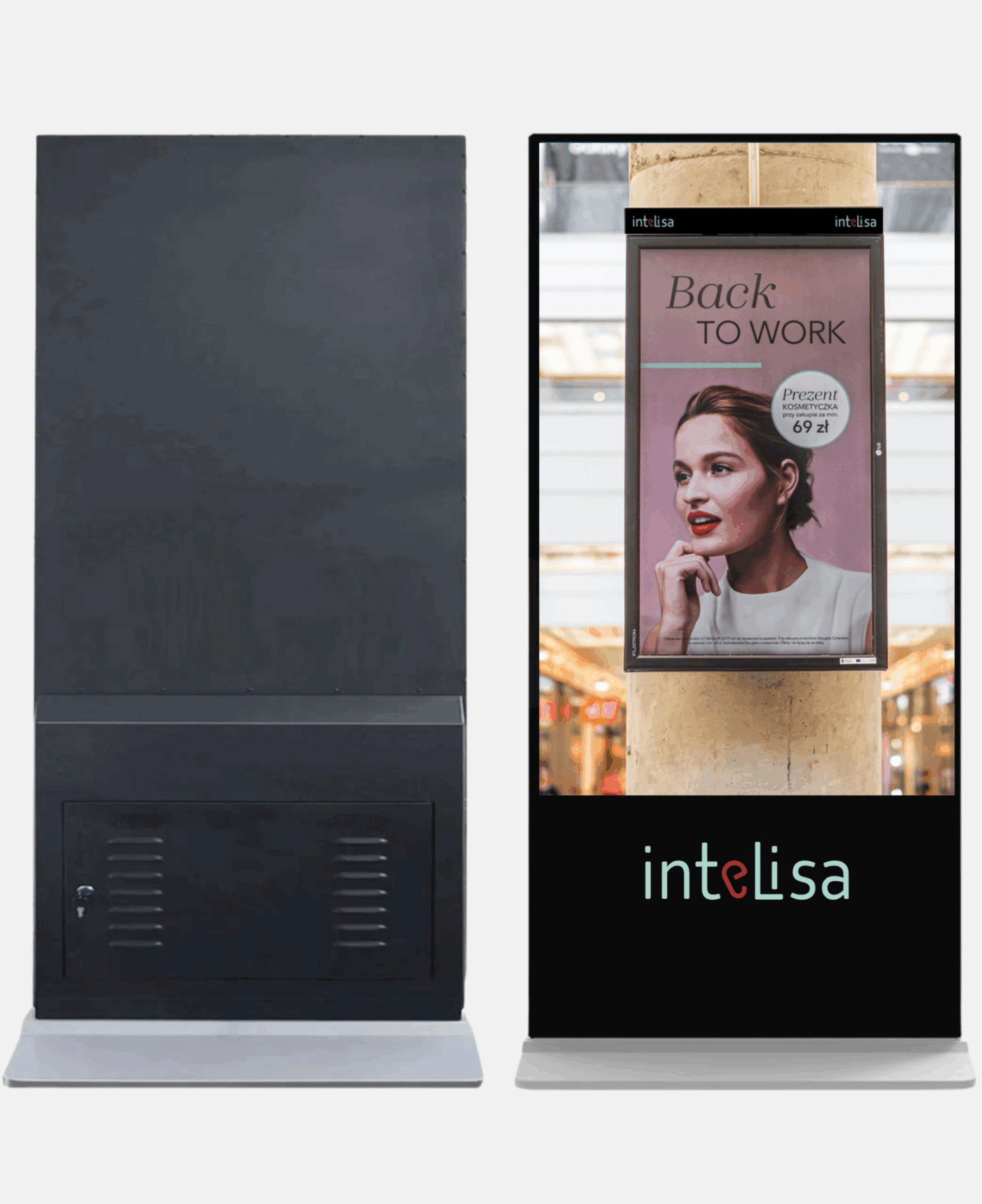
Intelisa digital standee running cloud-based digital signage software

So, Which One Should You Buy?

Here is the simple rule. If you want to show a message, promote offers, or run menus and ads, choose a non-touch digital standee and save money. If you want customers to interact, order, navigate, or sign up, choose a touch screen standee and gain engagement and data. Many businesses run both: non-touch for advertising near entrances, touch for self-service inside.

Either way, the screen is only half the story. The software running it decides how easy the whole thing is to manage, and with a cloud platform like Intelisa, both touch and non-touch standees are controlled from one place.

Not Sure Which Standee Fits Your Business?

Tell us your use case and we will recommend the right touch or non-touch setup, then show you how Intelisa runs it all. Start free for 14 days, no credit card required.

Start Your Free Trial

Frequently Asked Questions

What is the difference between a touch and non-touch digital standee?

A non-touch digital standee shows content one way, so viewers watch but do not interact. A touch screen standee lets viewers tap the screen to browse, order, navigate, or sign up. Non-touch suits advertising and menus, while touch suits self-service and interactive experiences.

Is a touch screen standee worth the extra cost?

It is worth it when you have a clear task for the customer, such as self-ordering, wayfinding, or registration. Touch reduces queues, captures data, and improves engagement, which pays back in busy environments. If you only need to broadcast a message, non-touch delivers similar reach for less.

Which digital standee is better for a restaurant?

Both have a role. Non-touch standees work well as digital menu boards and for promoting offers, while touch standees enable self-ordering that cuts queues and lifts average order value. Many restaurants use non-touch menu screens and add touch self-ordering standees where footfall is high.

Do both touch and non-touch standees update remotely?

Yes. Both are powered by digital signage software, so you can update content, schedule playlists, and monitor screens remotely from one dashboard. The difference between them is interaction, not how you control the content.

Can I use one software for both touch and non-touch standees?

Yes. Intelisa is a single cloud platform that runs both touch and non-touch standees, so you can manage a mixed fleet of screens across locations from one dashboard, without separate systems.

I
Intelisa Content Team

The Intelisa team writes about digital signage, standees and smart display technology for businesses across India and worldwide. Questions? Write to us at info@intelisa.in

Categories
Digital Signages

How Much Does Digital Signage Cost? Prices in India (2026)

How Much Does Digital Signage Cost? Prices in India (2026)

If you are thinking about digital signage for your business, the first question is almost always the same: how much does it cost? It is a fair question, and the honest answer is that it depends on a few things, the screens you choose, the software that runs them, and how many locations you want to cover.

The good news is that digital signage is far more affordable than most people assume, and cloud-based software has brought the entry cost down dramatically. This guide breaks down digital signage prices in India and around the world, so you know exactly what to budget, with no surprises.

What Makes Up the Cost of Digital Signage?

A digital signage setup has three cost components. Understanding them makes the total much easier to plan.

  • The hardware: the display screen and a media player. This is usually a one-time purchase.
  • The software: the digital signage software or CMS that runs your content, usually a monthly or yearly subscription per screen.
  • Content and setup: designing your content and installing the screens. Content can be free if you use ready templates, or a small cost if you hire a designer.

The screen and player are paid once, while the software is an ongoing subscription. That subscription is where most people want clarity, so let us start there.

Digital Signage Software Pricing in India

Software is the part that runs everything: your content, scheduling, and remote control. Here is exactly what Intelisa's cloud-based digital signage software costs in India, priced simply per screen.

Intelisa Lite

₹5,500 / screen / year
or ₹550 / screen / month
  • Creative management
  • Integration with Canva
  • Playlist management
  • Scheduling in advance for 10 days
  • Offline mode
  • Screen grouping and tagging
  • Live preview of every screen
  • Plug and play setup
  • Email support
Most Popular

Intelisa Pro

₹8,000 / screen / year
or ₹800 / screen / month
  • All Intelisa Lite features
  • User access management
  • Scheduling 3 months in advance
  • Social media integration (Instagram)
  • Split screen
  • Advanced reporting
  • Live streaming and YouTube videos
  • Widgets
  • Onboarding with an account executive

Enterprise

Custom
Contact for a quote
  • All Intelisa Pro features
  • Advanced, customized features
  • Tailored for retail, hospitals and wayfinding
  • Volume pricing for large networks

Best for large or multi-location deployments.

Note: Prices shown are per screen. The more screens you run, the simpler it is to manage them all from one dashboard. See live plans on the Intelisa pricing page.

Digital Signage Software Pricing Worldwide

For businesses outside India, Intelisa is priced in US dollars, and the structure is the same simple per-screen model. Pricing varies slightly by region.

PlanMonthly (per screen)Yearly (per screen)
Intelisa LiteFrom $7From $70
Intelisa ProFrom $10From $100
EnterpriseCustom pricing, contact the team

Intelisa serves businesses across India, the USA, Canada, the UAE, Qatar, and Australia, so pricing and support are available in multiple regions.

How Much Does the Hardware Cost?

Software is predictable, but hardware varies the most because it depends on the type of display you choose, indoor or outdoor, a standee, a touch screen, or a large video wall. Rather than guess a number, the easiest way to plan hardware is to look at the actual options.

Intelisa offers ready-to-use displays built for signage, so you do not have to source screens separately. You can see the full range and get exact pricing for your setup on the digital standees and fabricated displays page, and for larger installations, the custom video walls page.

A practical tip: you do not need the most expensive screen to start. Many businesses begin with one or two displays in high-traffic spots, prove the value, then expand. If you want to understand the screen options first, read our guide to digital display screens and their business uses.

Digital Signage Cost in India vs Worldwide

Software pricing is broadly similar across regions when converted, since it is cloud-based and delivered the same way everywhere. Hardware is where local cost differs, driven by import duties, local manufacturing, and installation rates. In India, locally available commercial screens and low-cost media players keep the total entry cost very reasonable, which is a big reason digital signage adoption is growing so fast across Indian retail, restaurants, and offices.

How to Get the Most Value for Your Budget

A few simple choices keep your costs down without cutting corners.

  • Start small and scale: begin with a few screens, measure the impact, and grow. Cloud software makes adding screens simple.
  • Choose cloud over on-premise: no servers to buy or maintain means a much lower upfront cost. See our cloud digital signage software.
  • Use ready templates: tools like the built-in Canva integration let you create professional content without hiring a designer.
  • Pick the right plan: start on Lite if you need the essentials, and move to Pro when you want features like social feeds, reporting, and live streaming.
  • Buy commercial-grade hardware: it costs a little more upfront but lasts far longer than a consumer TV, lowering long-term cost.
"Digital signage is not just a cost, it is an investment that pays back. Screens lift sales through better promotion, cut printing costs, and keep working around the clock." Intelisa Product Team

Get Started From Just ₹550 a Month

Intelisa is a cloud-based digital signage platform priced simply per screen, with no servers to buy and no hidden costs. Start with one screen or roll out a nationwide network, all managed from one dashboard.

Try everything free for 14 days, no credit card required. Explore plans on the Intelisa pricing page.

Start Your 14-Day Free Trial

Frequently Asked Questions

How much does digital signage cost in India?

Digital signage software from Intelisa starts at 550 rupees per screen per month, or 5,500 rupees per screen per year for the Lite plan. The Pro plan is 800 rupees per screen per month, or 8,000 rupees per screen per year. Hardware such as the screen and media player is a separate one-time cost that varies by size and type.

What is the difference between the Lite and Pro plans?

Lite covers the essentials: creative management, Canva integration, playlists, 10-day scheduling, offline mode, and live preview. Pro adds user access management, 3-month scheduling, social media integration, split screen, advanced reporting, live streaming, YouTube videos, widgets, and onboarding with an account executive.

Is there a free trial for digital signage software?

Yes. Intelisa offers a 14-day free trial with no credit card required, so you can test the platform on your own screens before choosing a plan.

Does digital signage cost include the screen and hardware?

The software subscription and the hardware are usually separate. The subscription covers the platform that runs your content, while the display screen and media player are a one-time hardware purchase. Some smart screens include a media player built in, which reduces the hardware cost.

How much does digital signage cost outside India?

For businesses outside India, Intelisa is priced in US dollars, starting from about 7 dollars per screen per month for Lite and 10 dollars per screen per month for Pro, with pricing varying slightly by region. Enterprise plans are custom priced.

Can small businesses afford digital signage?

Yes. Cloud-based pricing means a single cafe, salon, clinic, or retail store can start with one screen for a low monthly cost and add more over time. There is no large upfront server investment, which makes digital signage accessible to small and growing businesses.

The Bottom Line

Digital signage costs less than most businesses expect. In India, the software starts at just 550 rupees per screen per month, with hardware as a one-time cost you can scale over time. Worldwide, cloud pricing keeps the entry point low and predictable. Whether you run a single screen or a nationwide network, you can start small, prove the value, and grow.

Want an exact quote for your setup? Explore the plans on the Intelisa pricing page or start a free trial and see how affordable smart digital signage can be.

Ready to See the Numbers for Your Business?

Start your 14-day free trial with Intelisa, no credit card required, and find the plan that fits your screens and your budget.

Start Your Free Trial
I
Intelisa Content Team

The Intelisa team writes about digital signage, display technology and smart communication for businesses across India and worldwide. Questions? Write to us at info@intelisa.in

Need a quote or product info?
Our sales assistant is here to help.