A digital signage dashboard is only useful if the information on it is current enough for the people looking at it.
That does not always mean you need real-time data.
A factory manager may need to see production numbers as they change. A retail store may only need to update its promotions a few times a day. A corporate office might refresh employee announcements every morning.
The right update frequency depends on what you are displaying, how quickly that information changes, and what your audience needs to do with it.
This is where the choice between real-time and scheduled data refresh becomes important.
What Is a Data Refresh in Digital Signage?
A data refresh is simply the process of updating the information displayed on your digital signage screen.
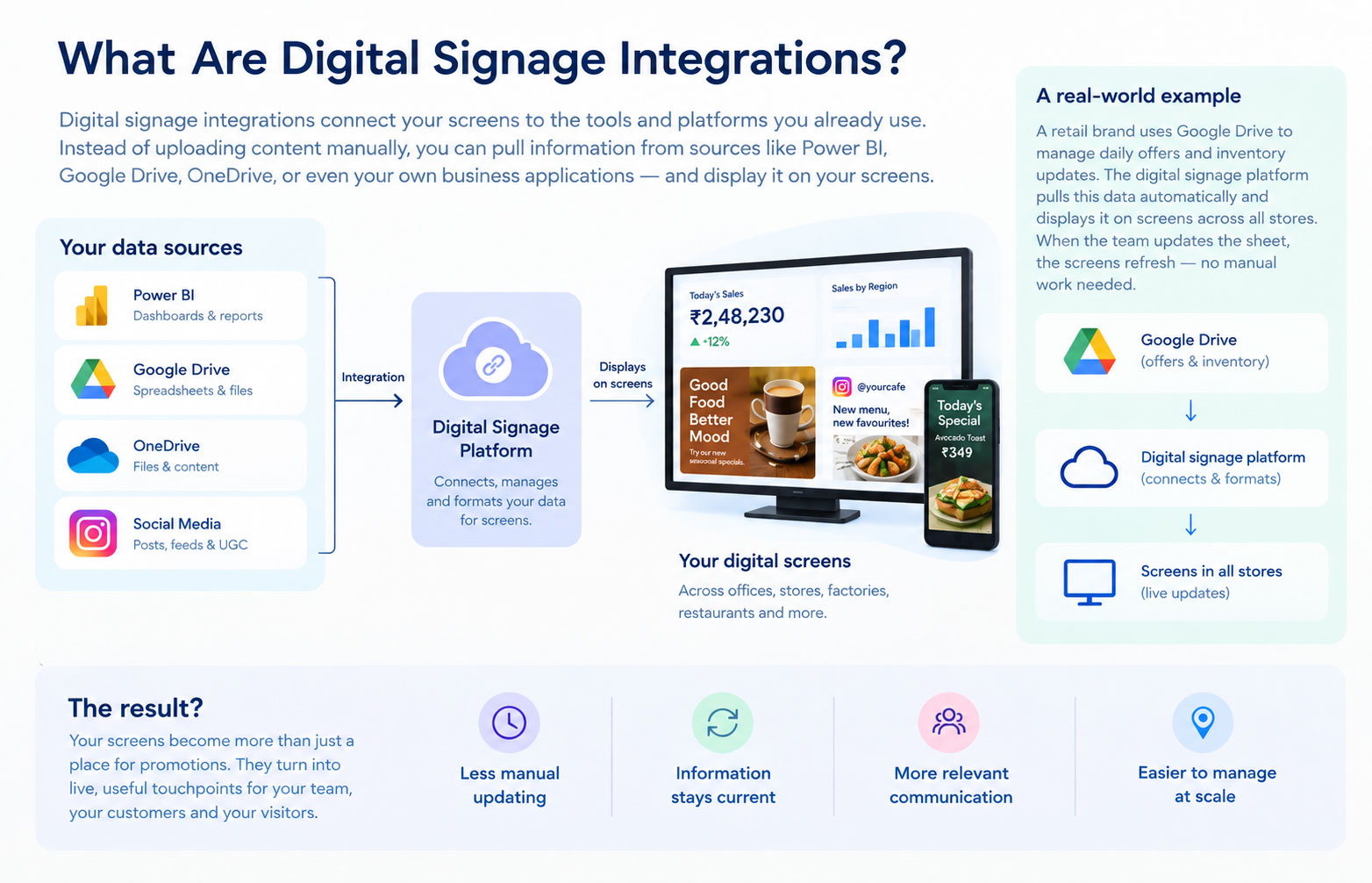
When your signage is connected to a data source such as a Power BI dashboard, Google Sheet, API, CRM, POS system, or IoT platform, the information on the screen can change when the source data changes. Your digital signage CMS plays an important role in managing how that content is updated, scheduled, and displayed.
The important question is how often that update should happen.
You can set your digital signage to refresh continuously or at specific intervals, depending on the platform and data source.
For some use cases, a few scheduled updates are enough. For others, even a short delay can make the information less useful.
Real-Time Data Refresh vs. Scheduled Refresh
The difference is fairly straightforward.
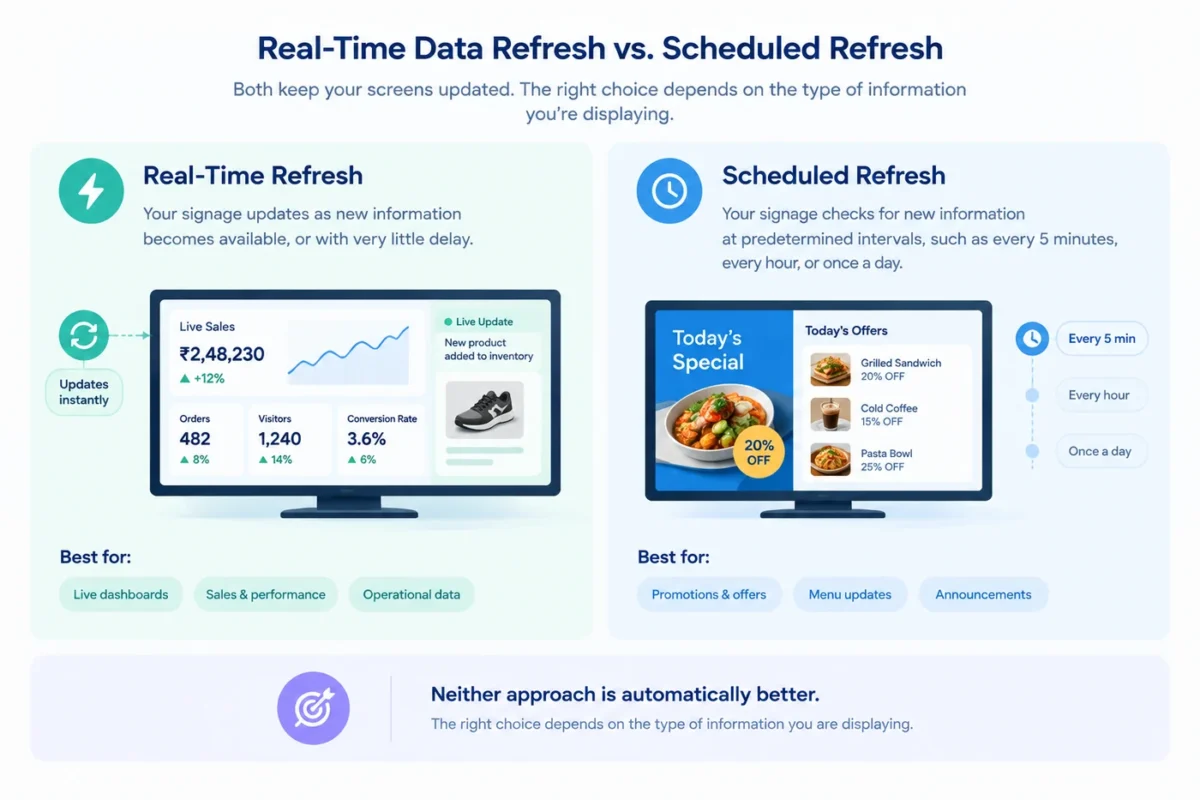
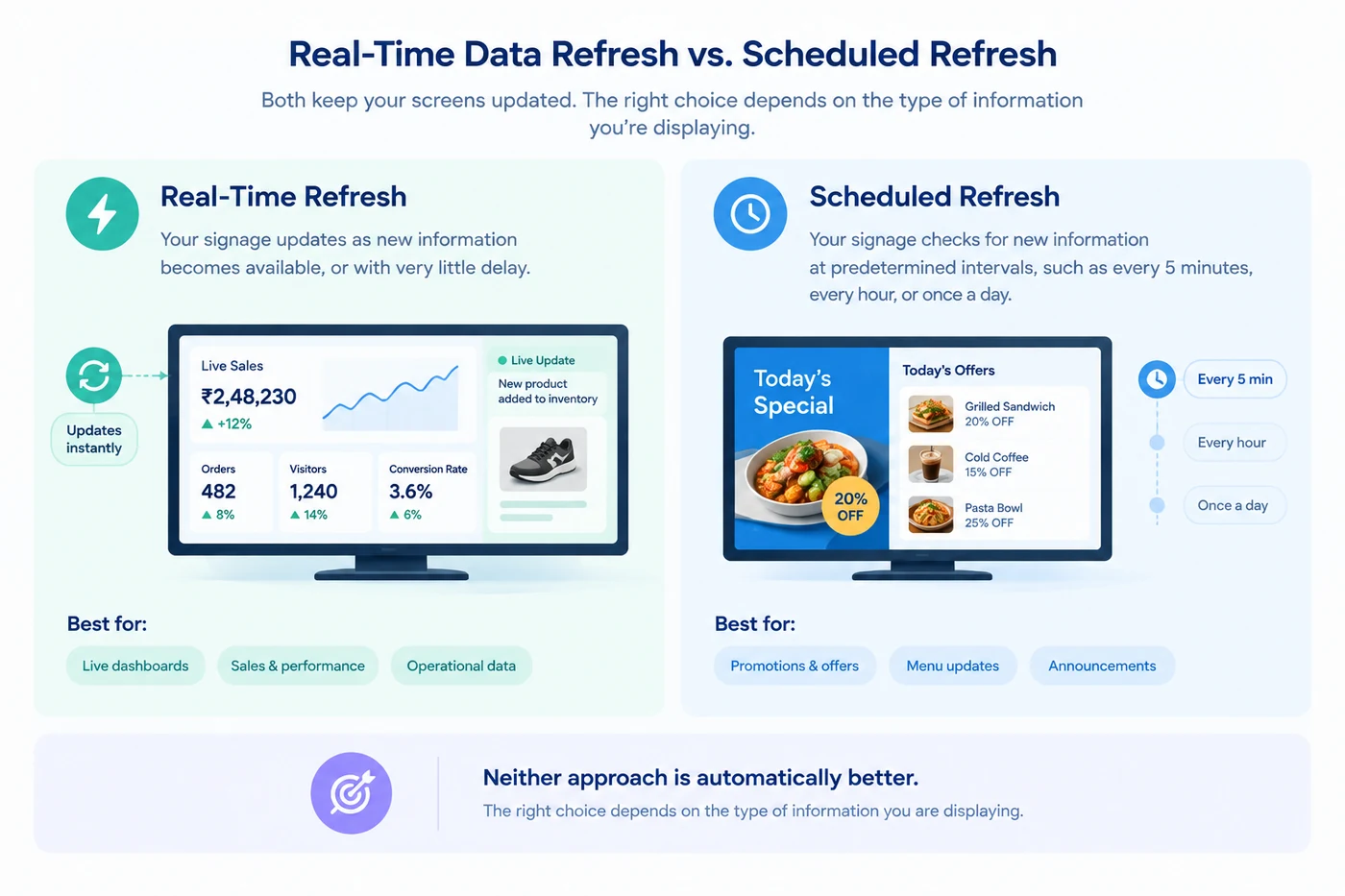
Real-time refresh means your signage updates as new information becomes available, or with very little delay.
Scheduled refresh means your signage checks for new information at predetermined intervals, such as every 5 minutes, every hour, or once a day.
Neither approach is automatically better.
The right choice depends on the type of information you are displaying.
| Feature | Real-Time Refresh | Scheduled Refresh |
|---|---|---|
| Best for | Fast-changing information | Stable or predictable information |
| Update frequency | Continuous or near real-time | Fixed intervals |
| Common examples | Machine status, live sales, queues | Menus, prices, announcements |
| Main benefit | Keeps information current | Reduces unnecessary updates |
| Main consideration | Can require more system resources | Information may be slightly outdated |
When Should You Use Real-Time Data?
Real-time data makes sense when the information can change quickly and people need to see those changes immediately.
Think about a manufacturing floor where a screen shows machine status. If a machine stops working, displaying that information several hours later does not help the operations team.
The same applies to environments where the screen supports time-sensitive decisions.
Manufacturing and Operations
A factory can connect digital signage to production systems or IoT devices to display information such as:
- Production output
- Machine status
- Downtime
- Temperature
- Energy consumption
- Safety alerts
If these numbers change frequently, real-time or near-real-time updates can make the screen much more useful.
Retail Sales and Inventory
Retail teams may want to display live sales numbers, inventory levels, or store targets.
For example, a screen in a retail back office could show how much the store has sold today and how close the team is to its target. If the numbers update throughout the day, employees can see their progress without checking a separate system.
Queues and Customer Information
Real-time updates can also be useful when customers are waiting for something.
Healthcare facilities, banks, airports, and service centres can use connected data to display queue numbers, appointment information, or other updates that change throughout the day.
In these cases, outdated information can create confusion rather than simply being inconvenient.
When Is Scheduled Data Refresh Better?
Not every piece of information needs to update every few seconds.
If you are displaying content that changes predictably, scheduled refreshes are often the more sensible option.
Menus and Prices
Restaurants and cafes may change prices, menu items, or promotions occasionally rather than constantly. A scheduled update can keep the screens current without repeatedly checking for changes that are unlikely to happen. With the right digital signage content scheduling setup, you can also plan when specific content should appear on different screens.
Corporate Communications
An office screen might display company announcements, meeting schedules, employee events, or internal news.
Most of this information does not need to refresh continuously. Updating it every few hours or once a day may be more than enough.
Daily Targets and Performance Reports
A sales team may want to see yesterday's performance or the latest daily target on a screen.
If the underlying report is updated once every morning, there is little reason for the signage to refresh every minute.
The goal is to match the refresh rate to the pace of the information.
How Often Should a Digital Signage Dashboard Refresh?
There is no universal refresh rate that works for every digital signage dashboard.
Instead, ask how quickly the underlying data changes and how quickly someone needs to act on it.
Here is a simple way to think about it:
- Every few secondsUse this for information that changes continuously and requires immediate visibility, such as machine status or live operational data.
- Every few minutesThis can work well for sales dashboards, inventory information, queues, or other frequently changing business data.
- Every few hoursThis is suitable for information such as schedules, internal updates, or performance reports that change throughout the day but do not require constant monitoring.
- Once a dayThis works for content such as daily announcements, menus, planned promotions, and other relatively stable information.
The important thing is not to refresh data simply because you can. Refresh it when doing so provides value to the person viewing the screen.
What Happens If Your Dashboard Refreshes Too Often?
More frequent updates are not always better.
If your data source changes once an hour, refreshing the signage every 10 seconds does not give your audience any additional information.
It can also create unnecessary requests between your signage platform and the connected system.
This becomes particularly relevant when you have a large network of screens pulling data from the same source.
For example, updating one screen every minute is very different from updating 500 screens every minute. Your integration needs to handle the scale without creating unnecessary load.
What Happens If Your Dashboard Refreshes Too Slowly?
The opposite problem can be just as frustrating.
Imagine a production screen showing machine data that is 30 minutes old. The information might look perfectly accurate, but it could give the team a misleading picture of what is happening right now.
The same issue can occur with inventory, sales, queues, or other time-sensitive information.
A useful rule is to ask:
"How old can this information be before it becomes misleading?"
That answer can help you determine the appropriate refresh frequency.
Real-Time Does Not Always Mean Instant
There is an important distinction here.
When a platform says it supports real-time data, that does not necessarily mean the screen changes at the exact moment the source system changes.
There can be a small delay caused by the data source, API, network, processing, or digital signage platform.
For most business use cases, near-real-time data is perfectly adequate.
If a sales dashboard updates every 30 seconds or every minute, for example, the difference from true instant updates may not matter to the people viewing it.
What matters is whether the information is fresh enough for the decision they need to make.
How APIs Affect Data Refresh
APIs are often used to connect digital signage with business systems that do not have a ready-made integration.
Your signage platform can request information from a system such as a CRM, ERP, POS, inventory platform, or internal application.
The refresh frequency can then depend on how that API works.
Some systems can provide updates frequently. Others may have rate limits or restrictions on how often data can be requested.
That is why API support alone is not enough when evaluating digital signage software. You should also understand how the platform handles refresh intervals, caching, data requests, and failures.
What About Power BI and Google Sheets?
Power BI and Google Sheets are common examples of business data sources that teams may want to bring onto digital signage.
A Power BI dashboard can be useful for displaying sales, revenue, targets, inventory, or operational KPIs.
Google Sheets can work well when a team needs a simple way to manage information such as prices, offers, schedules, or daily targets.
The best refresh frequency depends on the data inside them.
If a Google Sheet contains a weekly event schedule, refreshing it every few seconds adds little value.
If a Power BI dashboard is tracking live operational performance, more frequent updates may make sense.
The integration should follow the behaviour of the data, rather than the other way around.
How to Choose the Right Refresh Frequency
Before choosing a refresh interval, look at five things.
-
How quickly does the data change?
If the information changes once a day, you probably do not need real-time updates.
If it changes every few seconds, a daily refresh will not be useful.
-
How quickly does your audience need to react?
A screen displaying production alerts has different requirements from a screen displaying the week's cafeteria menu.
Think about what happens when the information is outdated.
-
How many screens are connected?
A single screen and a network of hundreds of screens have very different data requirements.
Your digital signage platform should be able to handle the refresh frequency across your entire network.
-
Does the data source have limitations?
Check whether your API, dashboard platform, spreadsheet, or business system has limits on how often data can be accessed or updated.
-
What happens when the connection fails?
A good digital signage setup should have a sensible fallback.
If your screen temporarily loses internet access, it should not simply go blank. Features such as offline playback can help screens continue displaying previously downloaded content until the connection is restored.
Why Refresh Frequency Matters for Digital Signage
The point of connecting business data to your screens is to make the information more useful.
That means freshness matters, but usefulness matters more.
A dashboard that updates every five seconds is not necessarily better than one that updates every hour. If the information itself only changes once an hour, the extra refreshes do not make the screen more valuable.
On the other hand, showing yesterday's production numbers on a screen that is supposed to help a team manage today's operations defeats the purpose of connecting the data in the first place.
The right refresh frequency sits somewhere between those two extremes.
How Intelisa Fits Into a Connected Digital Signage Setup
If you want your digital signage to do more than play the same content on repeat, Intelisa gives you the tools to build a more connected setup.
With Intelisa’s cloud-based CMS, you can manage content across multiple screens, schedule updates, monitor displays remotely, and use custom widgets to bring dynamic information onto your screens. Offline playback also keeps your content running when a screen temporarily loses its connection.
The idea is simple: connect your signage to the information your audience actually needs, decide how often it should change, and manage it all from one place.
Want to see what that could look like for your screens?
Explore the platform for yourself.
FAQs
What is real-time data in digital signage?
Real-time data in digital signage refers to information that is updated on a screen with little delay after the underlying data changes. It is useful for fast-changing information such as machine status, sales, inventory, queues, and operational metrics.
How often should a digital signage dashboard refresh?
The ideal refresh frequency depends on how quickly the data changes and how quickly viewers need to act on it. Fast-changing operational data may need updates every few seconds or minutes, while menus, announcements, and schedules may only need a few updates per day.
Is real-time digital signage better than scheduled refresh?
Not necessarily. Real-time refresh is useful for time-sensitive information, while scheduled refresh is often more efficient for stable or predictable content. The best approach is to match the refresh frequency to the use case.
Can digital signage dashboards update automatically?
Yes. Digital signage can be connected to data sources such as APIs, dashboards, spreadsheets, and business systems so that information can update automatically according to the capabilities of the platform and data source.
Does digital signage need an internet connection for data refresh?
Connected dashboards generally need network access to retrieve new data. However, digital signage platforms with offline playback can continue showing previously downloaded content when the connection is temporarily unavailable.